
Working with clients: Full service, collaboration, and self-service
The different ways you can manage your clients in the Accountant Portal.
There are 3 ways to work with clients in Summ:
Full-service management
The accountant takes care of everything, and the client doesn't use Summ at all.
Collaboration
The client has an account linked to the accountant's Accountant Portal, and both work on the reconciliation.
Self-service
The client takes care of everything, and the accountant does a final review and generates the tax reports.
1. Full-service management
You manage the client's account for them. The client doesn't need to know about Summ, and you don't invite them.
The accountant creates an account for the client. | ✅ |
The accountant sends an invite to the client. | ❌ |
The client has an individual account and accepts the invite. | ❌ |
How to get the data from the client?
You collect the data from the client yourself, whether that's CSV files, API keys, or wallet addresses.
For example, say your client uses Binance and prefers sending CSV files over API keys. Search for Binance on the Accounts page, copy the CSV instructions, and send them to your client.
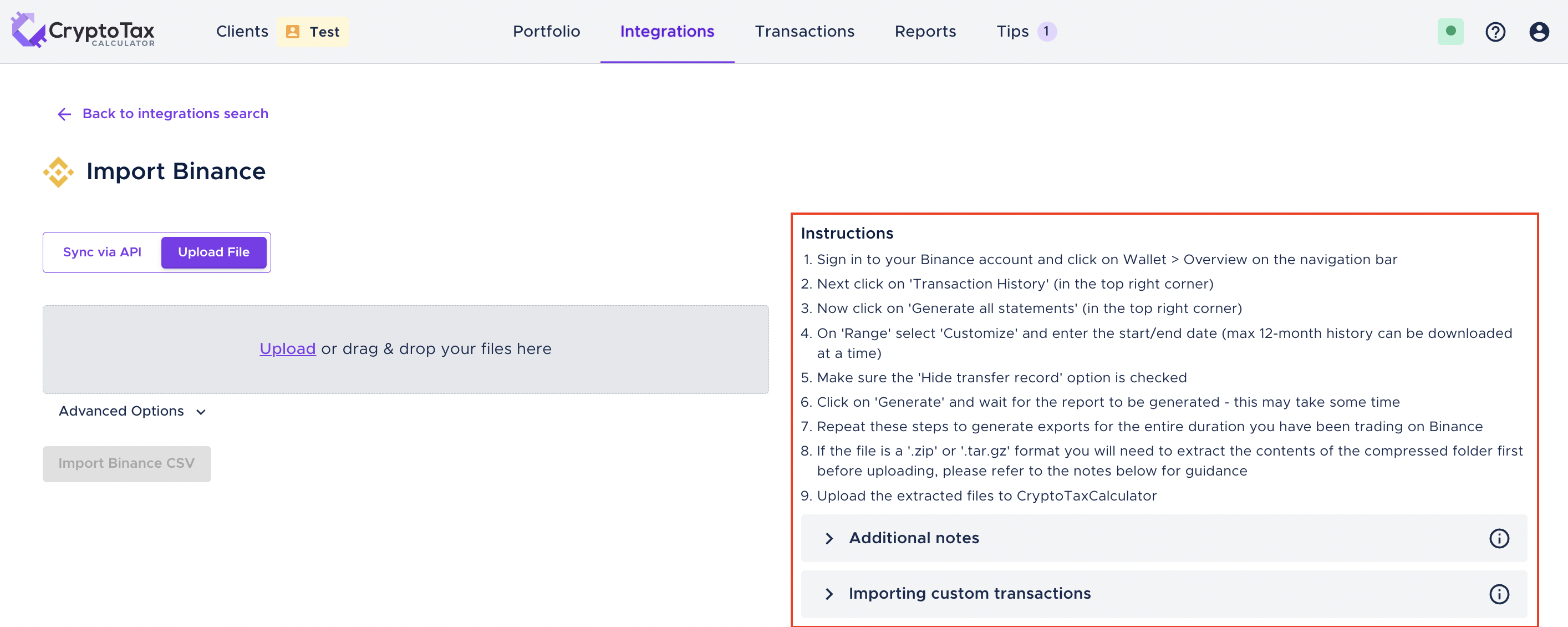
When your client sends you the Binance CSV files, import them into the client's account.
Review transactions
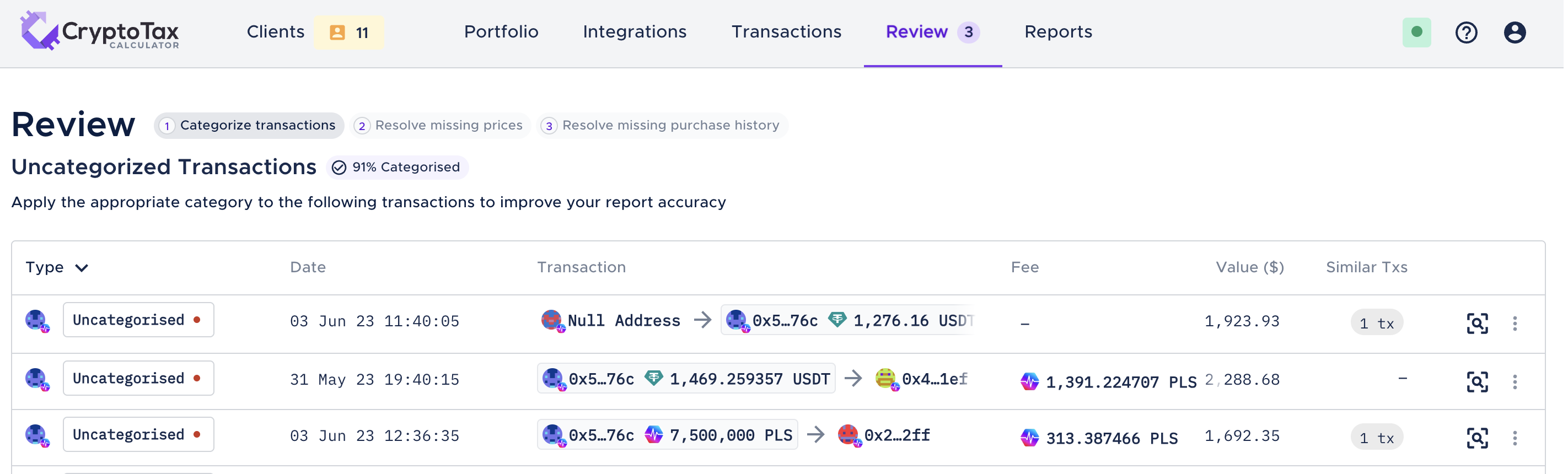
Once you've imported all the client's data, go to the Review page to see how many items are left to reconcile. This gives you a rough idea of how much work the client's account needs.
2. Collaboration
You invite the client and ask them to import their own data.
The accountant creates an account for the client. | ✅ |
The accountant sends an invite to the client. | ✅ |
The client has an individual account and accepts the invite. | ✅ |
Once the client has imported their data on the Accounts page, they can go to the Review page and fix any suggestions they understand.
You then take over and work through the remaining items on the Review page before generating the tax reports.
Read more about how data is shared between the accountant and the client.
3. Self-service
You invite the client and they import their data and review their transactions on their own. Once everything is reconciled, we suggest a session with the client to go through the transactions they reconciled.
The accountant creates an account for the client. | ✅ |
The accountant sends an invite to the client. | ✅ |
The client has an individual account and accepts the invite. | ✅ |
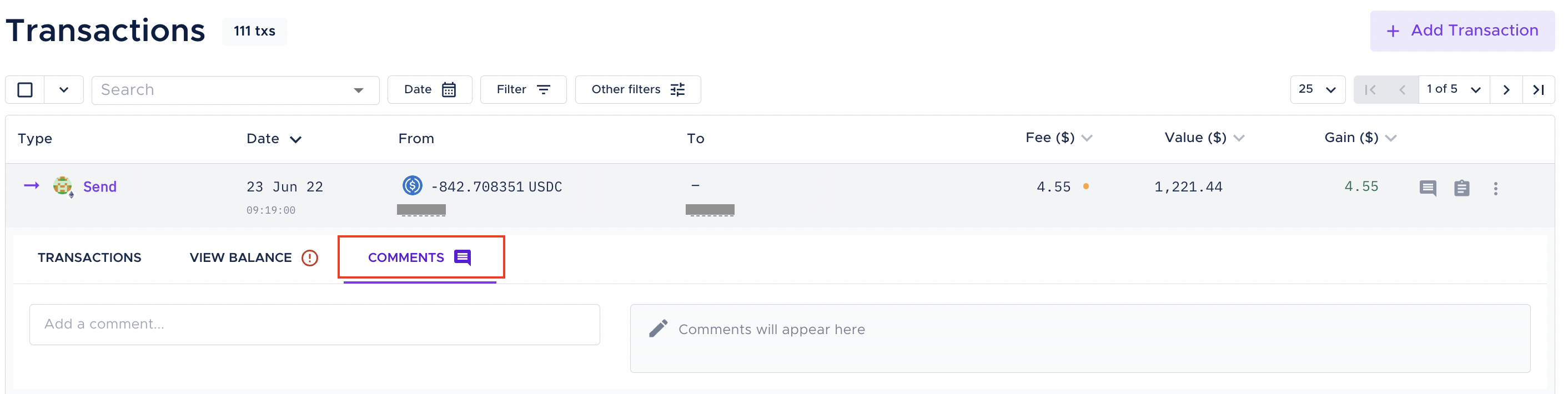
Because the client is linked to you, you both see the same data and can leave comments on transactions you want to discuss.
Read more about how data is shared between the accountant and the client.
Still need help? Email [email protected].