
Exchange API Sync Failed
What the Sync Failed status means, how to read the reason, and how to fix or replace an exchange API key.
When Summ can't pull data from an exchange, the account shows Sync Failed on the Accounts page. Most of the time the cause is the API key itself: it has expired, it's missing a permission, or it was pasted with a typo. This guide shows where the failure appears, how to read the reason, and how to fix it. If you see a numbered error code, the API Error Codes guide explains each one.
Where you see it
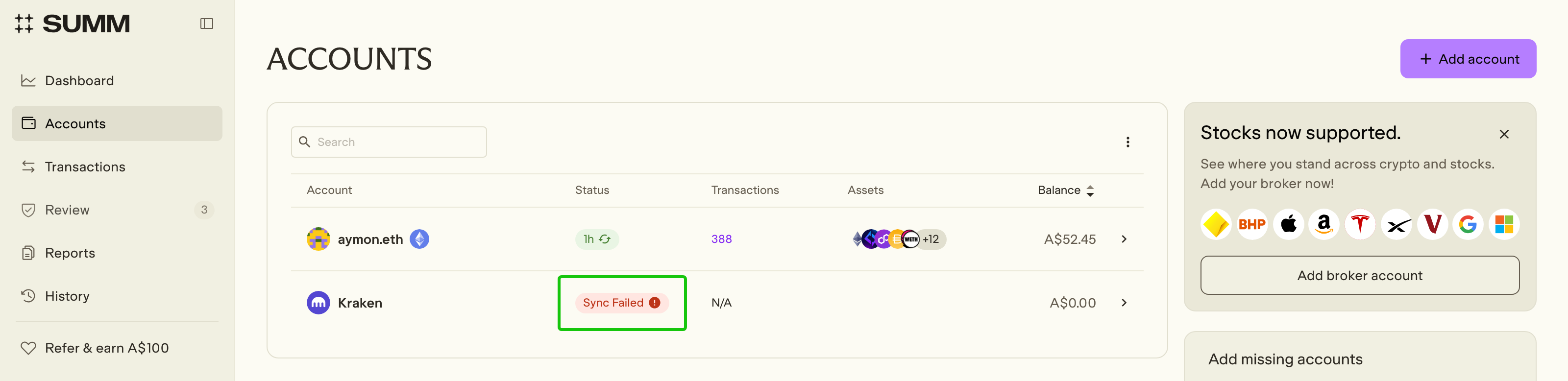
Open Accounts from the left menu. The Status column shows a red Sync Failed chip next to the affected account. Hovering over it shows Sync failed, click to manage. The Transactions column shows N/A until a sync succeeds.
Open the account's connection
Click the account row. The account page opens.
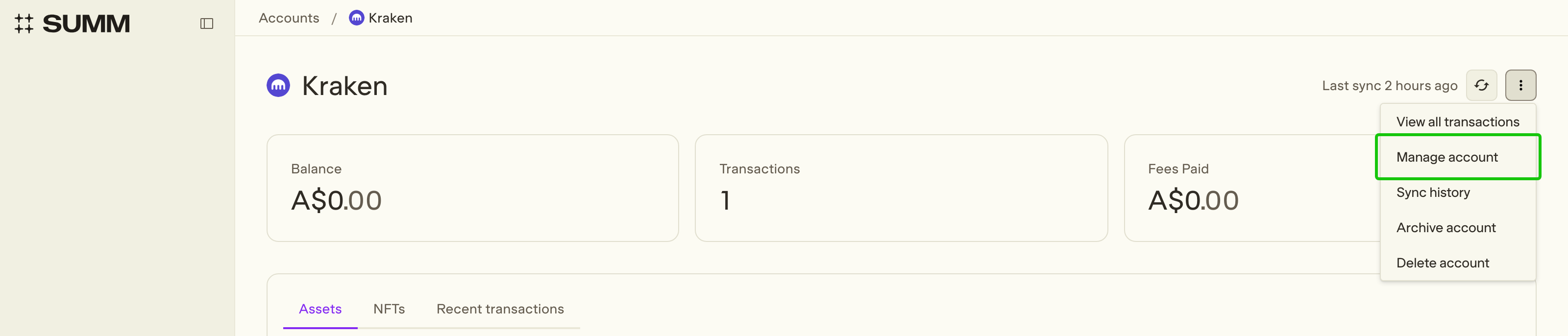
Click the ⋮ button in the top right and choose Manage account.
In the Import window, make sure the Sync via API tab is selected. Your key is listed as a row showing the exchange name and the last characters of the key. A red API badge marks a key whose last sync failed.
The right-hand side of the window shows the exchange's step-by-step instructions, including the exact permissions the key needs. Some exchanges also have a Troubleshoot API sync issue section for known problems.
What the failure reason means
Summ records why each sync failed. Match the reason you see to the row below.
Reason | What to do |
Invalid API key. | The exchange rejected the key or secret. Create a new key following the instructions in the Import window, then use Update API (below). |
Missing API permissions. | The key exists but can't read what Summ needs. Enable every permission the instructions list, and check any IP or access restrictions you set on the key. |
Write access is enabled for this API key, which is not allowed. | Summ doesn't accept keys that can trade or withdraw. Create a read-only key and update. |
Expired API key. | Some exchanges expire keys after a set time. Create a new one and update. |
The exchange's API server is currently unavailable. / The request timed out. | The problem is on the exchange's side. Try again later. |
Rate limit reached. | The exchange is limiting requests. Wait five minutes and sync again. |
No transactions were found. | The key works but returned nothing. Check it belongs to the right account or sub-account, and that the exchange's API covers the period you traded in. |
The data received from the exchange has changed. / Transaction limit exceeded. / An unknown error occurred. | Try importing the exchange's CSV file instead (see below). If that doesn't work, email support with the exchange name and the message you see. |
Fix it
Replace the key
In the Import window, click the ⋮ at the end of the key's row.
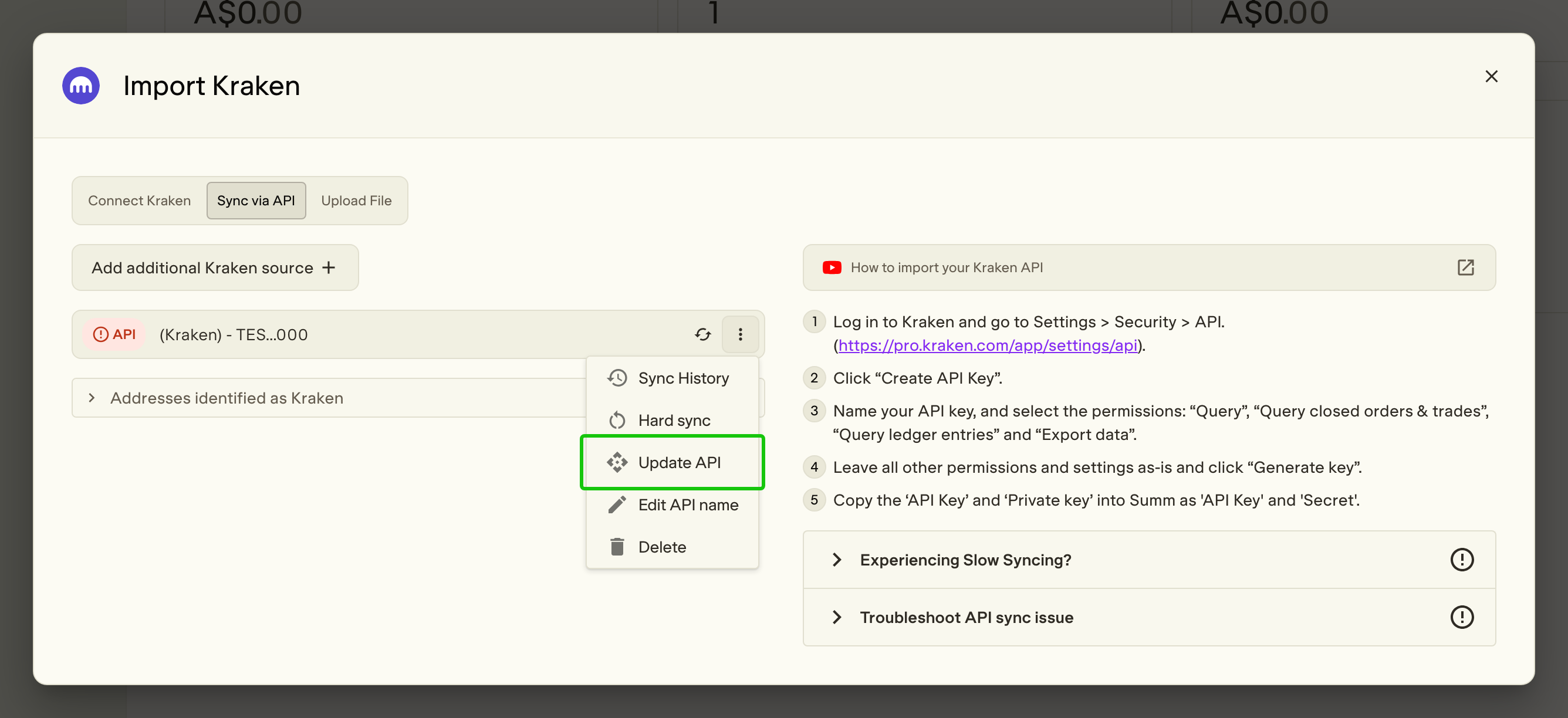
Choose Update API.
Paste the new key and secret (and passphrase, if the exchange uses one) and save. The sync starts again in the background.
Try again
If the reason was temporary (the exchange was down or rate-limited), click the ↻ icon on the key's row or in the account page header. Hard sync, in the same ⋮ menu, re-imports the whole history from the account's start date instead of only what's new.
Fall back to a file
If the exchange's API can't give you what you need (many only return the last few months), switch to the Upload File tab in the same window and import the exchange's CSV export instead. The steps appear on the right-hand side once you switch tabs.
Before you contact support, check
The key is recent. Keys created long ago may have expired.
It's read-only. Never give Summ a key that can trade or withdraw.
It has every permission in the instructions. A key missing one read permission fails with "Missing API permissions".
Identity verification is complete on the exchange. Many exchanges block history until KYC is done.
The key is used only by Summ. Sharing one key between services can hit the exchange's limits.
Any IP restriction on the key is off, or set to allow all addresses.
Frequently asked questions
Sync History doesn't show the failed attempt. Where is it?
Sync History lists successful syncs only, so a key that has never worked shows No successful sync history found. The failure itself shows on the key's row and in the Accounts page status.
Will Summ email me when a sync fails?
No. The Accounts page is where a failure shows. Check it after you change a key on an exchange.
My exchange says the key is fine. Why does Summ say it's invalid?
When an exchange answers "not authorized" or "forbidden", Summ reports it as an invalid key or missing permissions. The most common cause is a permission that wasn't ticked when the key was created, so compare the key's permissions with the list in the Import window first.
Does a failed sync remove transactions I already imported?
No. Transactions from earlier successful syncs stay. The failed sync adds nothing new until it's fixed.
Good to know
Summ only asks for read permissions. If an exchange's instructions in Summ list a permission, it's a read permission.
Some exchanges only return a few months of history through their API. For older periods, import their CSV export as well, but only for the dates the API doesn't cover. Importing the same period by both API and CSV can create duplicate transactions.
Still need help? Email [email protected].